
A CAN file converter that turns engineering data into a spreadsheet and back
An electronics software engineer edits the files that describe how a vehicle's electronic units talk to each other. Doing it by hand was slow and easy to get wrong. We built him a web tool that turns those files into an Excel sheet he can edit, then back again, without losing a thing.
The problem
Vehicles and machines use a CAN bus to pass messages between their electronic units. Every message and signal on it is described in a .dbc file: IDs, bit positions, scaling, units, which unit sends what. A heavy-vehicle file (SAE J1939) can hold over a hundred messages and nearly a thousand signals.
The engineer knows this data inside out, and Excel is where he's fastest. But the tools that edit .dbc files directly are clumsy, and copying data between a spreadsheet and a .dbc by hand is how mistakes creep in: a signal that overlaps another, a wrong scaling factor, a mistyped ID.
What we built
A simple web page: drop in a file and get the other format back.
- .dbc to Excel. One row per signal, colour-coded columns for the message, the signal and each electronic unit, with help on every header.
- Excel back to .dbc, with nothing lost. Converting a file to Excel and straight back, with no edits, gives exactly the same file. Everything the sheet doesn't show is kept from the original in a hidden sheet.
- Problems listed by row and column. Bad cells, overlapping or out-of-range signals, duplicate IDs and IDs that don't match their J1939 fields are each reported with the exact place to fix them.
- A clear list of what changed. Before downloading, he sees every difference from the original, like
EEC1.EngineSpeed: factor 0.125 → 0.25, so nothing changes by accident.
Screens
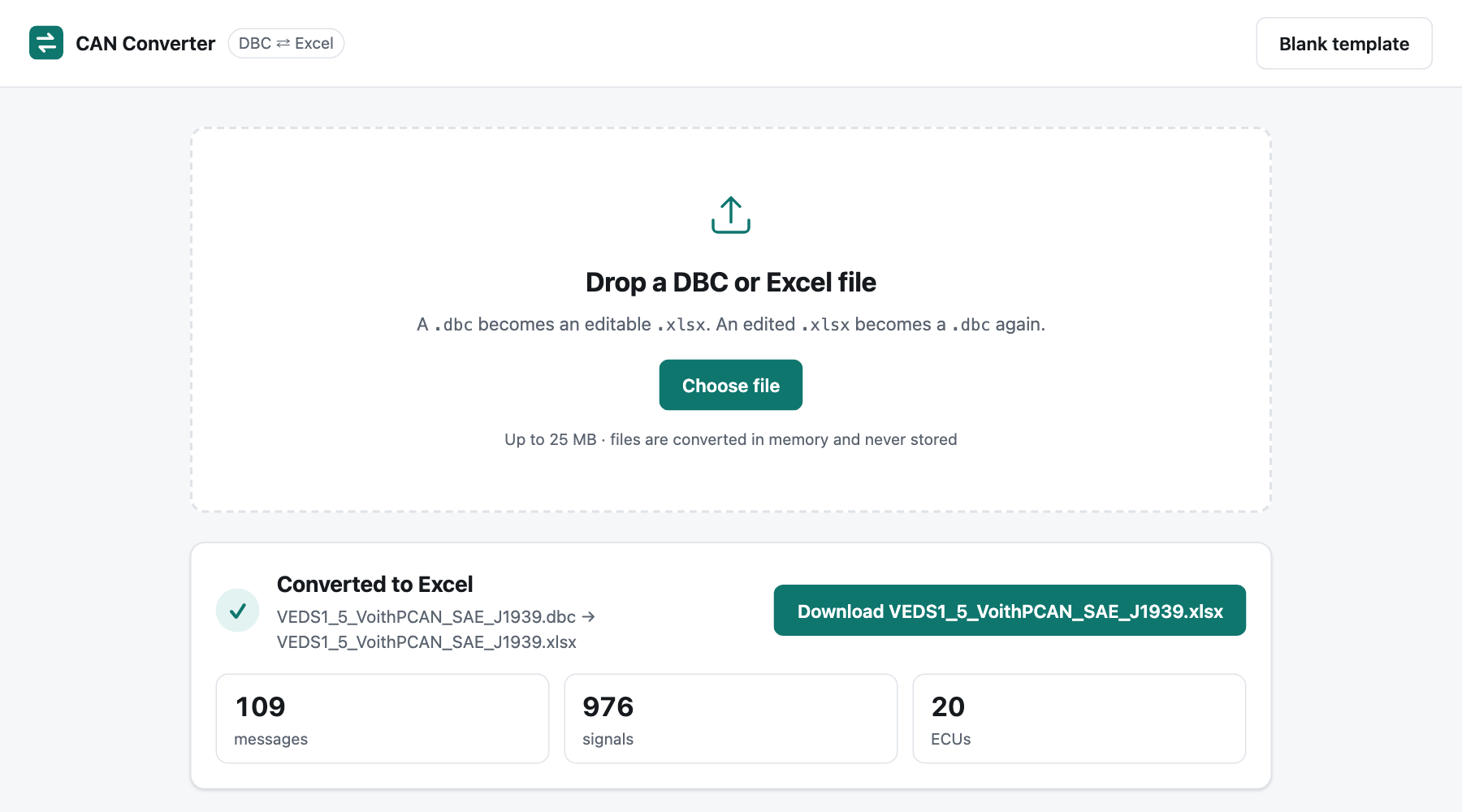
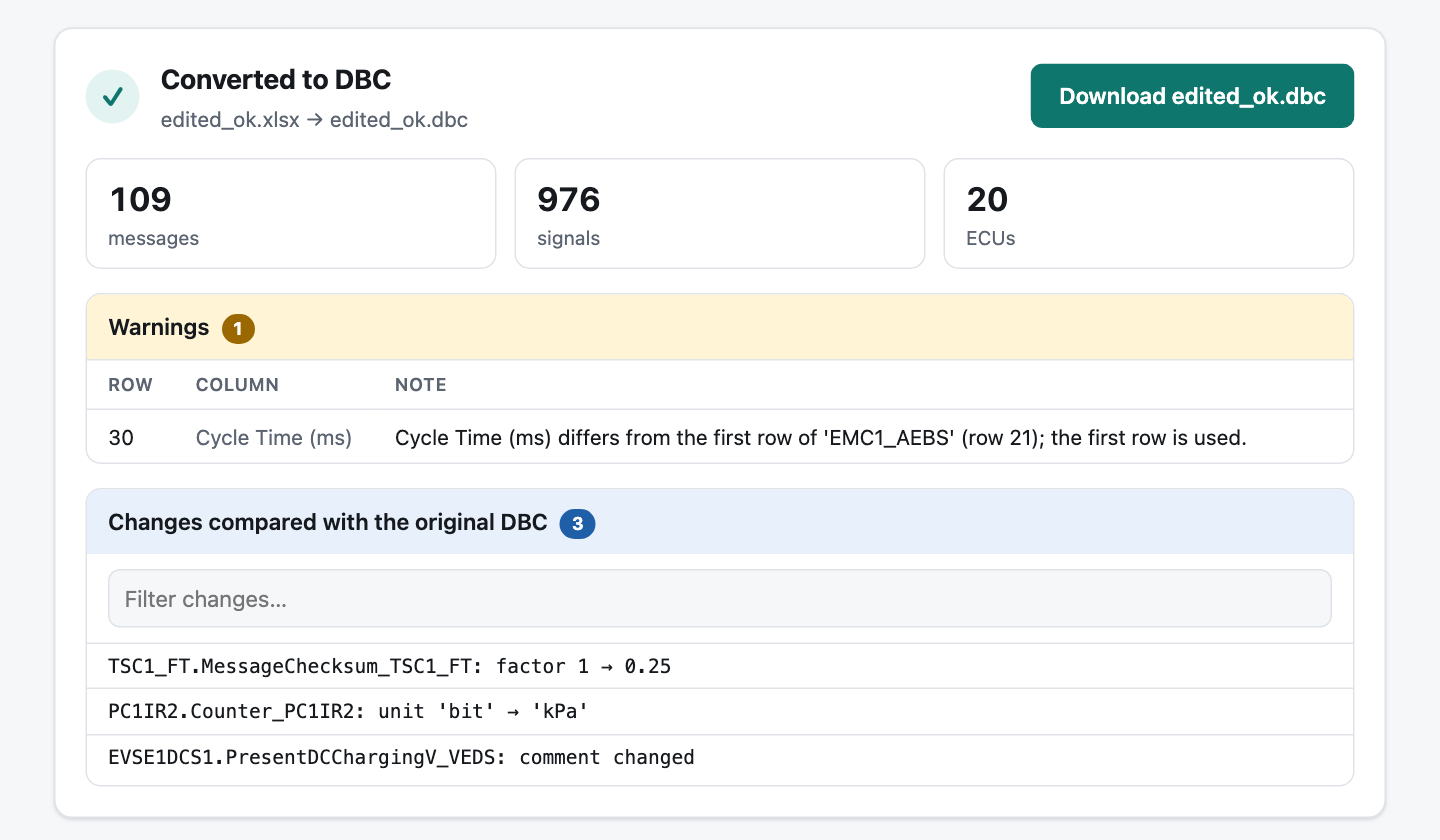
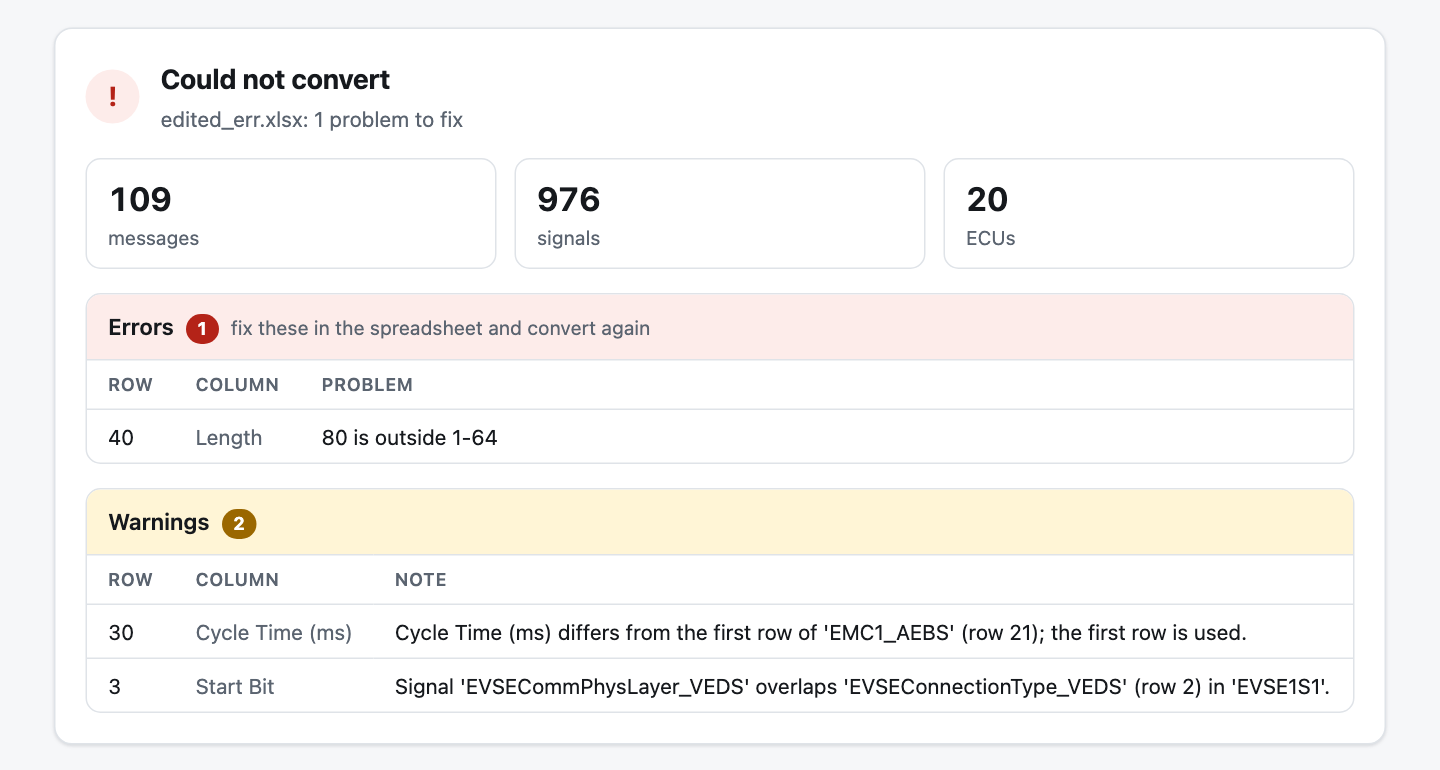
Screenshots use a public sample file.
Changes on request, in plain English
The engineer isn't a web developer, and he shouldn't have to wait for us to have a free afternoon. So next to the tool he has a private, logged-in assistant. He describes a change in his own words, like "take the DLC column out of the sheet", and it:
- makes the change, updates the tests and checks it against his real files,
- explains in plain words what will be different in the sheet and the .dbc,
- asks before going live, then deploys it.
Several columns were removed at his request this way. When one change turned out to break his workflow, it was rolled back and reverted the same day.
Built to be relied on
- 53 automated tests, including full round trips on a real 109-message J1939 file.
- Nothing is stored. Files are converted in memory and never written to disk.
- Every deploy checks itself. The new version is built and made to convert a sample file before it goes live. If it isn't healthy, the previous version is put back automatically, and the last three are kept for a one-command rollback.
- It stays up. It restarts on its own after a power cut, and is capped on CPU and memory so one bad file can't affect anything else.
Stuck copying data between tools by hand?
If your team moves data between spreadsheets and specialist software, tell us about it. In 15 minutes we'll tell you honestly whether a tool like this is worth building.